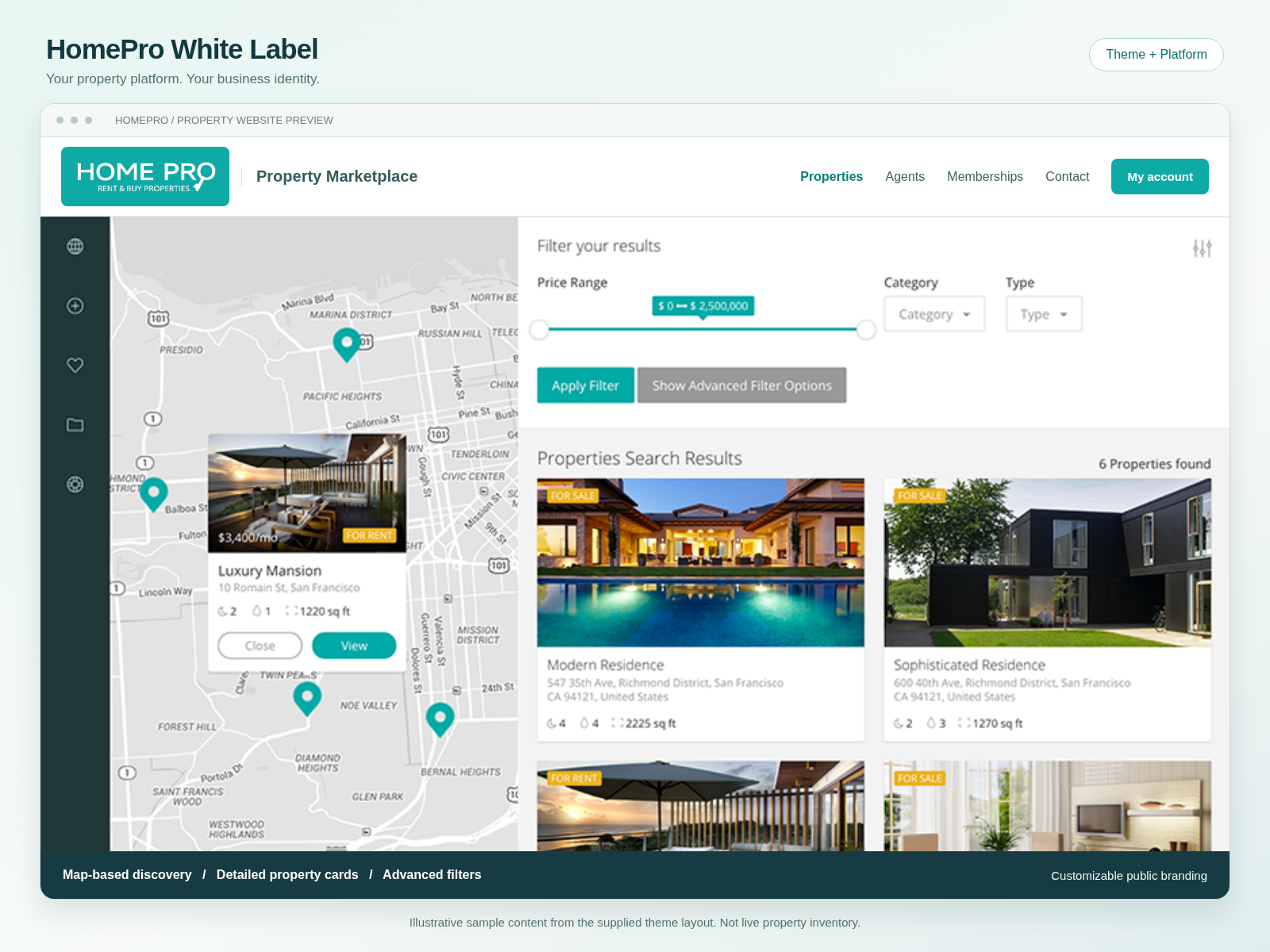
Use this guide to install your HomePro White Label WordPress website, customize its identity, configure the included business tools, and manage updates and licensing. HomePro White Label combines a customizable WordPress theme, the White Label Platform, the matching STPT property and agent core, and 18 configurable business-tool installers in the native-source edition. The customer controls the public website identity; HomePro identifies the administration tools. The customer release documented here pairs White Label Platform 0.4.1, White Label Theme 0.4.1 and HomePro STPT Core 2.1.1.2. The Storefront plugin has a separate version and belongs on the licensing website. Always use the matched files supplied for your licensed release. Start on a separate HTTPS WordPress staging or customer site. Keep a file and database backup. Do not replace an established production website's active theme to test the customer package. The standalone theme is inside the Platform's The native edition uses Configure the customer-facing business name, logo and contact details in the White Label Platform. HomePro remains the administration product identity; visitors can see the customer's own brand. The theme's public identity can be changed without renaming technical folders, shortcodes or database keys. Keep those internal identifiers unchanged so existing settings and licensed updates continue to match. The optional installers cover Companion, Membership Growth, Email Branding, Email CRM & SMS, Mail Gateway, Bookings & Appointments, Stays, Property Smart Organizer, Listing Analytics, Listing Verification, Property Alerts, Language Switcher, SEO & Indexing, LiveChat, Social Manager, FAQ, Secure Login and Global Listing Sync. Install tools individually and verify each workflow before enabling the next. These customer branches should not replace the seller's production HomePro plugins without separate compatibility testing. After a verified paid order, the license is available in the customer's HomePro account. Activate the White Label key in the Platform on the intended customer domain. HomePro Suite keys do not activate this product. Current editions allow 1 website for Single Site, 5 for Business and 25 for Agency. Review the actual purchased terms and checkout price; this guide does not override an order. Published content is not remotely disabled merely because update entitlement expires. Commercial updates and support still require the appropriate active license. For a domain move, use the available license deactivation controls and contact support when the former installation is inaccessible. Use the customer's merchant accounts, not the seller's production credentials. Complete the provider's sandbox lifecycle before permitting real transactions. Verify payment confirmation, repeated webhooks, failed payments, cancellation, refunds and membership paid-through dates. Save API credentials only in the intended administration fields. Do not email or post secret keys, signing secrets, passwords or guest identity documents. A successful read-only API check does not prove that a signed payment event reached the website. Configure email sender identity, unsubscribe handling, suppressed contacts, calendar time zones, map access and any authorized feeds separately. Legacy slider/IDX integrations require their own external products or subscriptions. Mobile applications, Cloud hosting and private financial tools are not included in this package. Keep the complete customer Platform ZIP, the separate theme ZIP and the core ZIP identifiable. A theme belongs under Appearance → Themes; Platform, core and business tools belong under Plugins. Uploading to the licensing website's Plugin Downloads is distribution, not installation. Use the matched Platform, theme and core supplied for your release. Back up files and the database before replacement. Apply updates on staging first, then confirm registration, search, editing, payments, email and any enabled booking workflows. Licensed update delivery supports the matched customer components. WordPress automatic-installation preferences remain the customer's choice. Replacing files does not roll back created pages, saved settings or a separately approved price change. Uploading a Platform ZIP to the seller's Plugin Download Manager changes the downloadable release only. It does not install that plugin or activate a theme on the seller website. A plugin ZIP or outer kit was uploaded as a theme. Remove only the misplaced, broken theme folder after backing up; do not delete the active production theme. Upload the inner theme ZIP through Appearance → Themes, and install Platform/STPT through Plugins. Confirm that the matching Platform and core are installed and active on the staging site, and that the matching theme is selected. Merely uploading the release into Plugin Downloads does not install its components. Add appropriate property data and taxonomy terms. A preview rendering successfully is not a complete search-results test. Check the separate saved preference, package validation, release approval and WooCommerce product status. An enabled switch is retained even while another requirement blocks checkout. A newly uploaded package needs its own release review. Publish and price the intended White Label products only after review. The storefront uses /marketplace/, with an existing /plugins/ redirect. Clear page/CDN caches after updates, then check the canonical page and its query links in a private browser window. Do not create a duplicate Marketplace page. Stop on staging and restore the last known working files when necessary. Check the latest relevant PHP fatal error and affected component. Share a redacted error line, component versions and reproduction steps with support, not a public copy of the full server log. The seller can see a step-by-step status panel in Storefront settings. Private approval references and administrative release data are not displayed on this public support page. Include your order reference, installed Platform/theme/core versions, WordPress/PHP versions, affected page and steps to reproduce. Share screenshots or redacted errors without customer personal data. Never include secret credentials or an unredacted license key in a public message.HomePro White Label support: what is included
Install the right files
Package Correct upload destination White Label Platform — complete customer ZIP Customer site: Plugins → Add New → Upload Plugin HomePro STPT Core ZIP Customer site: Plugins → Add New → Upload Plugin HomePro White Label Theme ZIP Customer site: Appearance → Themes → Add Theme → Upload Theme Optional business-tool ZIPs Customer site: Plugins, one at a time after reviewing dependencies Complete Platform ZIP for distribution Seller site: Plugin Download Manager, under homepro-white-label bundles folder. The technical theme folder may be named homepro-white-label-realeswp; the displayed product name is HomePro White Label. That internal identifier is retained for update compatibility.Set up your website
property, agent and membership records. Earlier starter-edition hpwl_property records are separate; do not assume automatic migration.Customize the theme and your public branding
Connect the business tools
Business tool Purpose Setup requirement HomePro Companion Property, account, payment-adapter and layout refinements. Matching property and agent core. Membership Growth & Renewals Agent membership invitations, renewal dashboard and optional recurring billing. Core and Companion; separately authorized provider setup. Email Branding Customer-branded transactional email templates. White Label Platform and approved sender identity. Email, CRM & SMS Lead records, email campaigns, preferences and SMS workflows. Email Branding and customer mail/SMS accounts. Mail Gateway Mail transport and delivery diagnostics. Customer-owned mail credentials. Bookings & Appointments Appointments, staff resources, time slots and reminders. WooCommerce and configured payment/calendar services. Stays Companion Accommodation availability, reservation management and optional deposits. Core, Companion, WooCommerce and merchant configuration. Property Smart Organizer Property media and amenity organization. Matching property core. Listing Analytics Listing views and agent reporting. Matching property core. Listing Verification Listing freshness and agent confirmation workflows. Matching property core and email setup. Property Alerts Property email digests and Property of the Week selection. Core, Email Branding and mail delivery setup. Language Switcher Website language selection and translation configuration. Platform and any required translation service. SEO & Indexing Search visibility and indexing controls. Platform; review compatibility with other SEO plugins. LiveChat Customer-facing chat and optional AI assistance. Platform, support staffing and any AI credentials. Social Manager Authorized social publishing connections. Customer social accounts and OAuth authorization. FAQ Customer-editable frequently asked questions. Review and publish the customer's own answers. Secure Login Account security and responsive sign-in screens. Matching property core. Global Listing Sync Authorized property-feed import. Matching core and permission to use each feed. Licensing and renewals
Payments and external services
Updates and backups
Troubleshooting
WordPress says “Stylesheet is missing”
The preview cannot render property search
I enabled purchases, but pricing is still hidden
The old Marketplace address or layout is cached
A plugin reports a critical error
Seller release and sales settings
homepro-white-label in Plugin Downloads. Do not upload the theme, core, Source Builder or outer release kit in that row.Contact support
HOMEPRO WHITE LABEL
HomePro White Label Support & Documentation
Installation, website customization, business tools, licensing, updates and troubleshooting.
A separate infrastructure license. HomePro Suite, Lending Suite, agent memberships, hosting and third-party usage are separate. Included installers still require configuration and testing; a download marked Ready is not proof that a live business workflow has been tested.
Annual license, customer-initiated renewal. The infrastructure license is not automatically recurring billing. A paid renewal extends the same eligible key. Optional automatic billing for the customer's agents is a different feature and requires separate payment authorization.